Fiscal Year 2026 Wakayama Prefecture Financial Accounting System Construction Entrustment, Operation and Maintenance, and Equipment and Other Lease
Japanese tenders, in English, with receipts.
Drop in a Japanese tender and Shiori tells you what it says: the deadlines, who can bid, what to send. Click any answer and it shows you the exact sentence it came from. All of it runs on your own computer.
Free and open source. Early access.
入 札 公 告
令和8年度和歌山県財務会計システム構築委託・運用保守及び機器等賃貸借について、次のとおり一般競争入札を行うので、(略)規定に基づき公告する。
令和8年9月15日
1 一般競争入札に付する事項
(1)事業年度
令和8年度から令和15年度まで
(2)業務の名称
令和8年度和歌山県財務会計システム構築委託・運用保守及び機器等賃貸借
(3)業務の内容
仕様書による。
Real lines and real answers from a 2026 Wakayama Prefecture tender.
The real app, on a real tender.
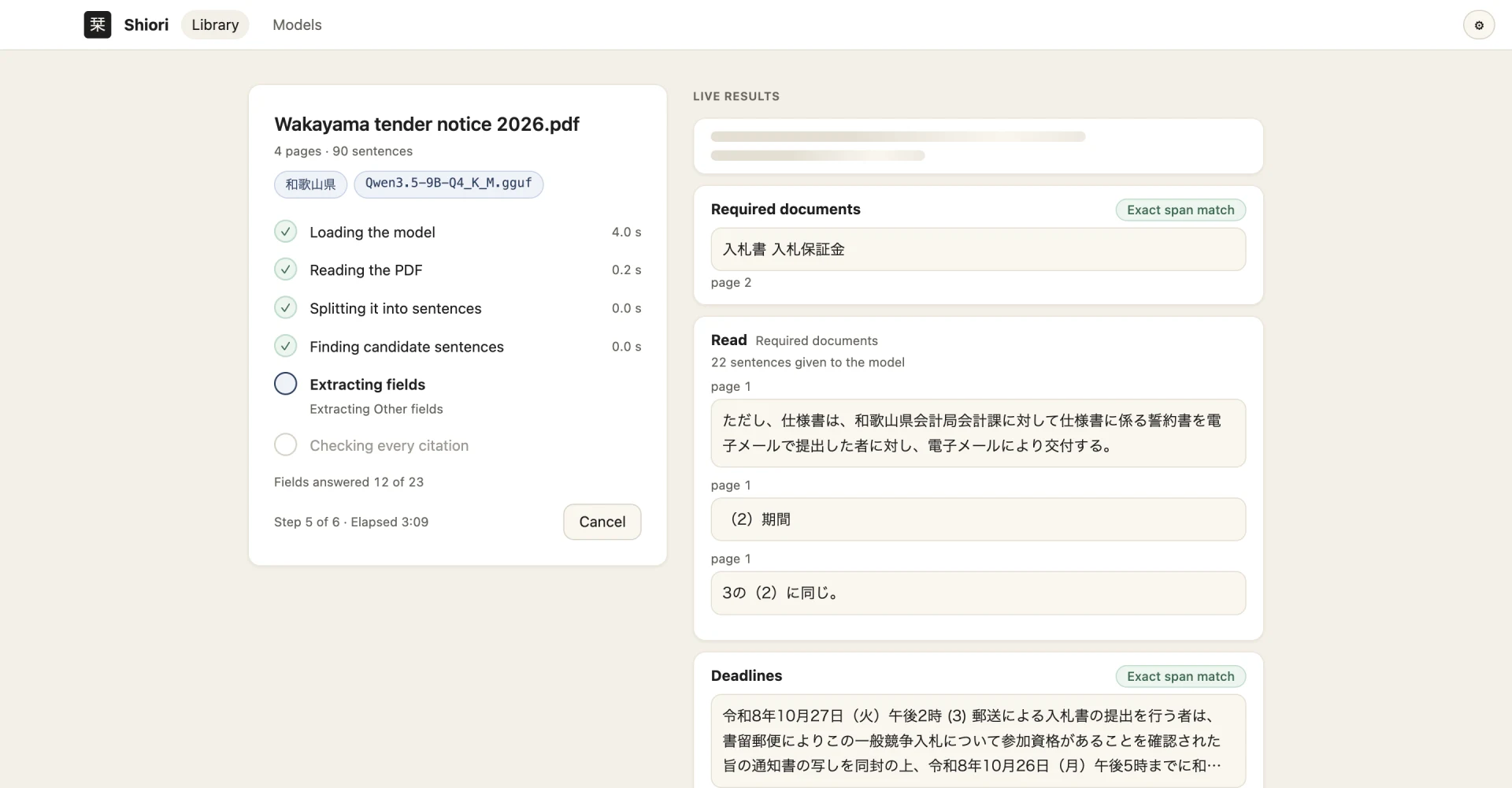
Watch it read
You see every step as it happens: which sentences go to the model, and each answer the moment it's checked.
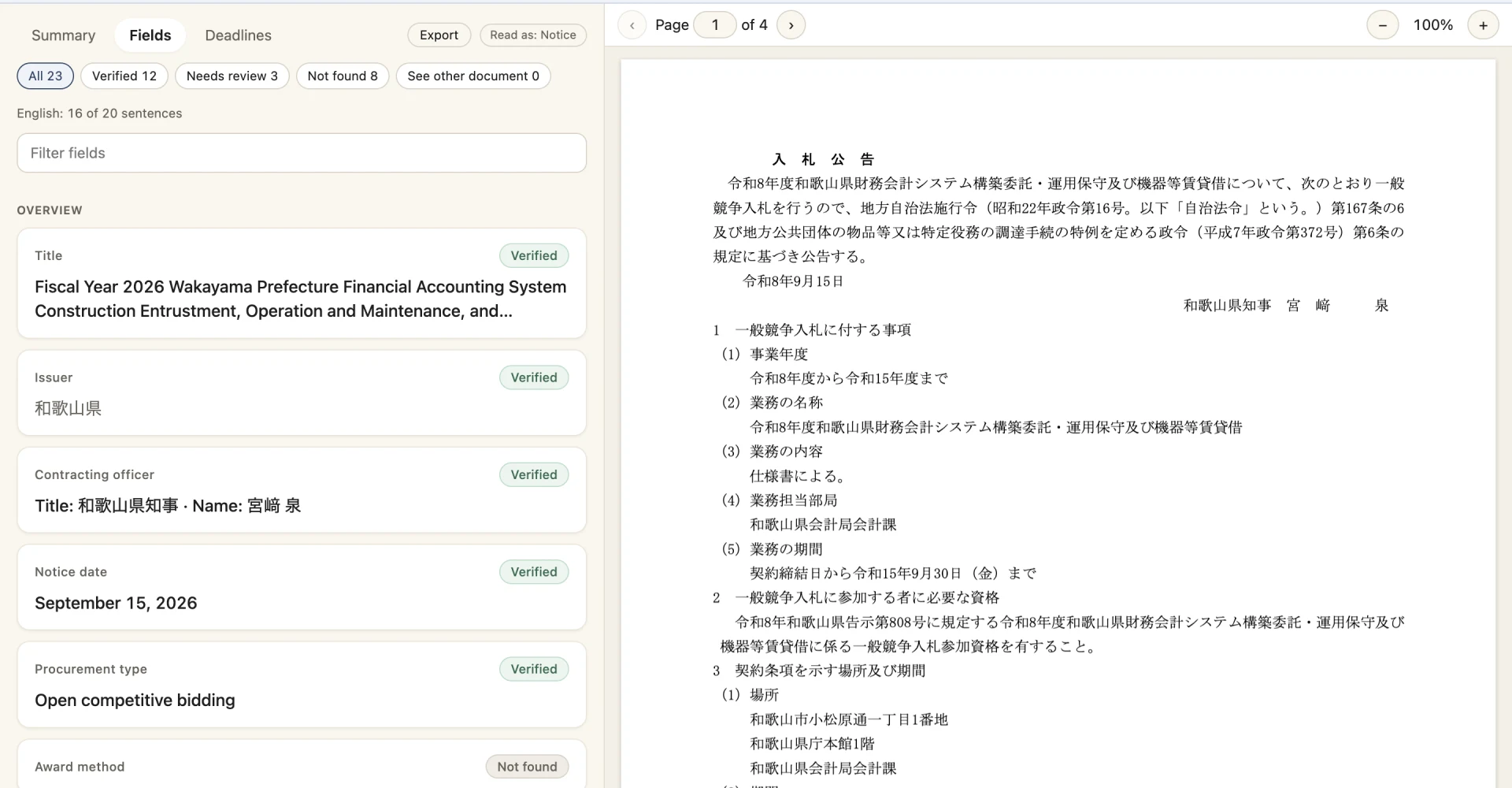
Get the answers
23 fields, each marked Verified, Needs review or Not found. If it can't back an answer up, it says so instead of guessing.
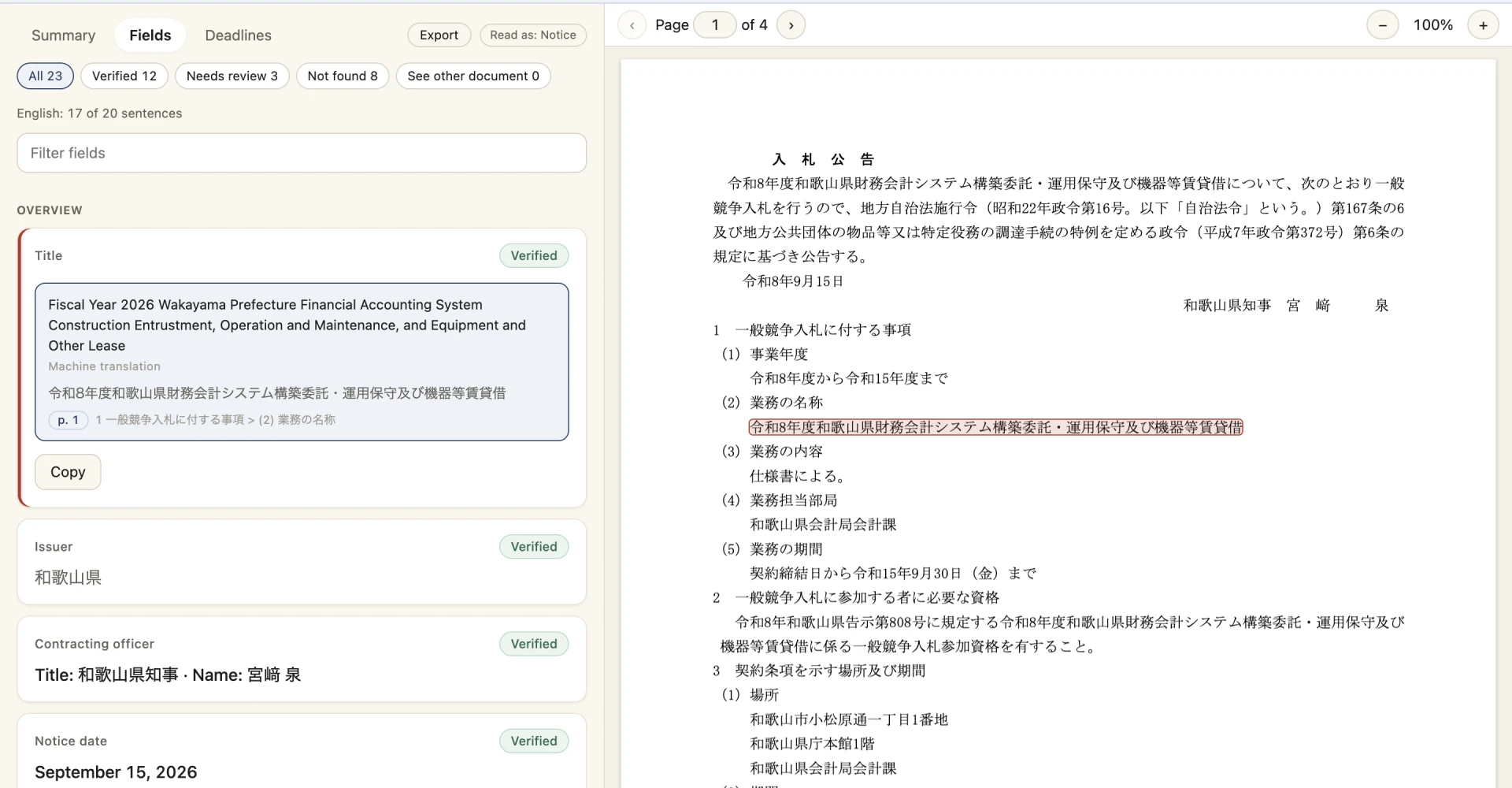
Check the source
Click any answer and the PDF jumps to that page with the sentence boxed in red.
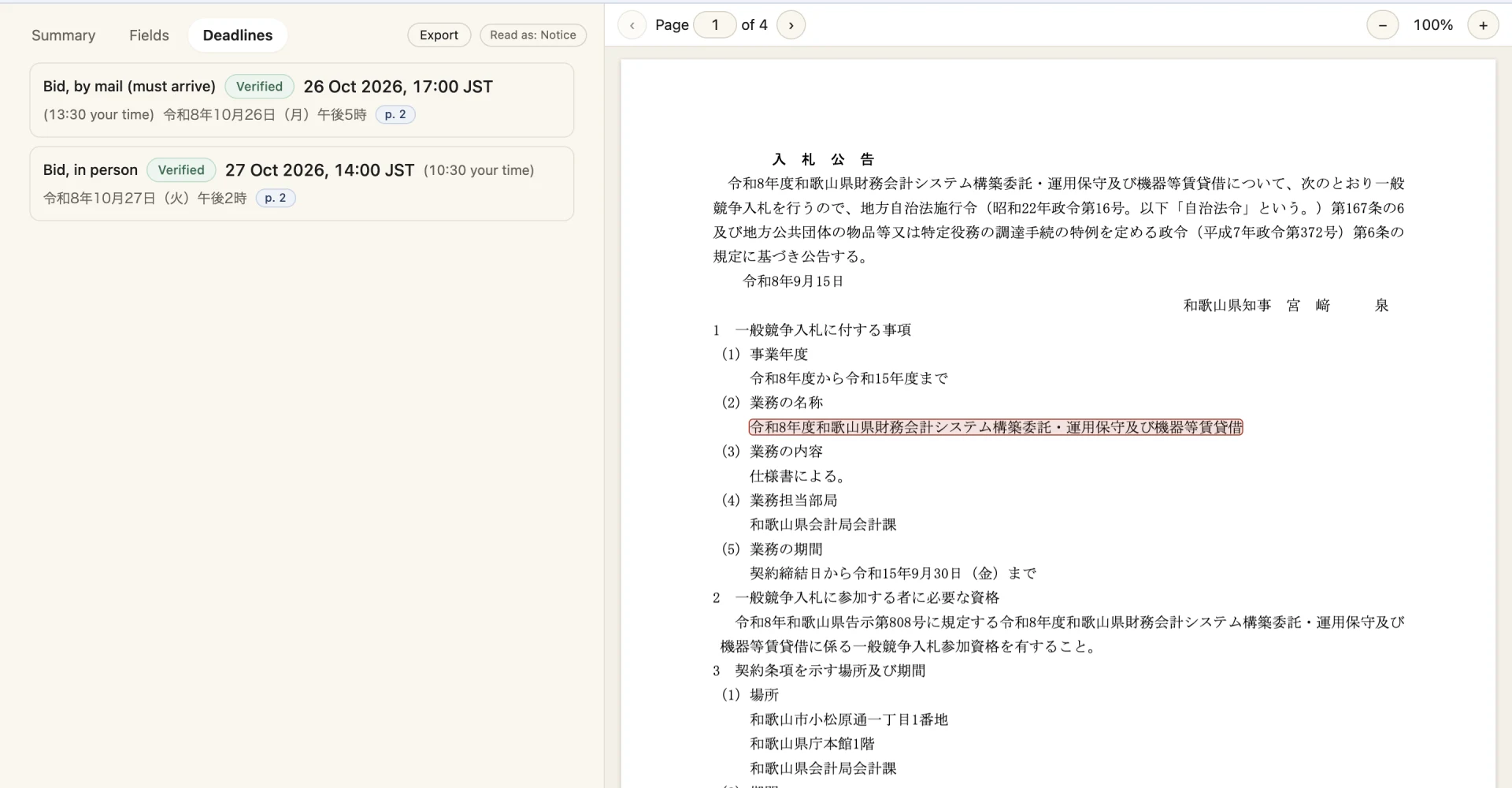
Never miss a deadline
Every date in Japan time and in yours, next to the original wording. Export them to a spreadsheet or your calendar.
A 36 second trailer made from real screenshots. Prefer the raw screen recording? It's on YouTube.
How it avoids making things up.
-
1
Cut into sentences
The text is split into sentences using Japanese punctuation rules. Each one gets a number and remembers exactly where it sits on the page.
-
2
Plain code where it can
Dates like 令和8年 (that's 2026), amounts in 万 and 億, and tax wording are handled by tested code, not AI. The local model only does the lists: who can bid, deadlines, and documents to send.
-
3
The model can only point
It doesn't write answers freely. It points at sentence numbers, and code checks that the answer is really in those sentences.
-
4
No proof, no answer
If the check fails, the answer is dropped and you see Not found. An honest blank beats a confident wrong answer.
Your document stays on your computer.
The window that shows your document can't reach the internet at all. The AI runs on your machine, the logs only keep timings and counts, and there's no tracking of any kind.
The only time Shiori goes online is when you download the model the first time (about 5.7 GB). That download sends nothing about you or your documents.
0
0
Not yet proven with a full packet capture. And to be upfront: while building Shiori, I used cloud AI on some public tenders to create test answers. The app itself never touches the cloud.
The honest numbers.
From one test on 10 tenders it had never seen, run once, with nothing tweaked afterwards.
Where it is and where it's going.
Last updated 29 November 2026.
Download Shiori 0.1.2
The app itself is small. The AI model (about 5.7 GB) downloads the first time you open it, or Shiori can use one you already have.
macOS, Apple Silicon.dmg168 MBRecommended
macOS, Intel.dmg179 MBBeta
Windows.exe160 MBBeta
Linux.AppImage201 MBBeta
Your computer will warn you the first time. Here's why, and what to click.
Apple and Microsoft charge for developer certificates, and this is a one-person project, so the app isn't signed yet.
Mac: open the .dmg, drag Shiori into Applications and open it. When macOS stops it, go to System Settings, then Privacy & Security, and click Open Anyway. If it says the app is damaged, run xattr -cr /Applications/Shiori.app in Terminal and try again.
Windows: if you see "Windows protected your PC", click More info, then Run anyway.
Linux: run chmod +x Shiori-*.AppImage, then open it. On Ubuntu 22.04 or newer you may need sudo apt install libfuse2 first.
Want to make sure the file wasn't tampered with? Every release comes with checksums. All files are on GitHub.
Do you read Japanese?
I'm looking for a native Japanese speaker, or someone with JLPT N1, to check Shiori's answers. Run it on any tender and tell me where the English or the highlighted sentence is off. Nothing would help the project more right now.